cms.libe.net

Simple Homepage Manager | Sprache / Language

  • Home / EN / HELP

    Installation

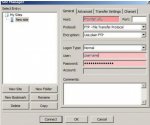
    - upload the files to your webserver

    - set a new password in the var.php file,

    - chmod the following directories: daten / image / download and the file layout.php

    - login by typing http://URL/login.php

    - choose your favourite template ("change layout")

    - write menus and topics: "edit menu" and start writing the content.


    Modify templates:

    Variables build in buildpage.php

    $text ... Content of the actual Page it is possible to manipulate the Content: EXPAMPLE: $text= str_replace("***PLACEHOLDER IN CONTENT***", "This text will overwrite the placeholder",$text);
    to include: type "<?php echo $text;?>" in source code

    $start ... $start=1: Home (Startpage), $start=0: other Page; so you are able to implement spezial features to the Startpage: if ($start==1)
    <?php echo $start;?>

    $backlink ... Links for Site Navigation, displays all Links back to home
    <?php echo $backlink;?>

    $level ... Mainmenu entries (without spaces at the beginning) have level 0, first submenu (direct under mainmenu, one space in Menu edit in admin) has level 1, ....

    Menu Function:
    Menu is generated through the buildmenu function:
    buildmenu("startlevel", "endlevel", "endlevel for active menu")
    Examples:

        show only top menues 1t level:
        <?php echo buildmenu("1", "1", "1");?>

        show top menues 1t level and the 2nd level:
        <?php echo buildmenu("1", "2", "2");?>

        show only top menues 1t level, expand submenues when they are active
        <?php echo buildmenu("1", "1", "0");?>

        show only sub menues, expand submenu when it is active
        <?php echo buildmenu("2","0","0");?>

        show only sub menue 2nd level, expand submenu do not expand when it is active
        <?php echo buildmenu("2","0","2");?>

        show only sub menue 3nd level, expand submenues when they are active
        <?php echo buildmenu("3","3","4");?>


    submenudiv: level_0-99; a IDs: mainmenu_sub mainmenu_active mainmenu_link


    varible menuforlevel["level"] shows a headline for a menu: Example Headline for <?php echo buildmenu("1", "1", "1");?> is  <?php echo menuforlevel["level"];?>